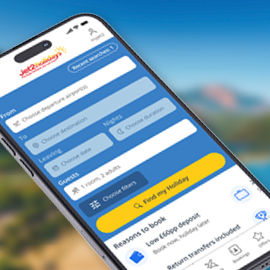
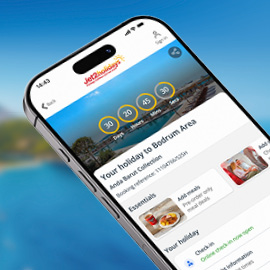
You can now access Shortlists through a myJet2 account. So, as well as being able to save, share and compare holidays, you'll also benefit from…
- Save and share shortlists
- Exclusive discounts
- Tailored holidays inspiration
Already a member? Log in
Call to book from 8:30am-7.30pm
Speak to one of our travel experts in our UK Call Centre:
Please only call a number listed on our website or you can find a travel agent near you.
We know how important your holiday is to you. That’s why we’ve rounded up the most frequently asked questions, so you can get the all the answers you need to know.
You can make changes to the booking, subject to availability at the time of the change. Any changes are subject to an amendment fee, plus any increase in cost.
The amendment fee is payable per person and will be advised at the time of the change. For current amendment fees please see below. This is payable at the time of the change and is non-refundable. You can’t make any changes once you’ve checked in online. And certain changes are not allowed within 21 days of departure.
* Plus any additional charges from accommodation provider.
Amendment fees are payable on the day the change is made and are in addition to any increase in holiday cost. If you've already bought a travel insurance policy from us, this is non-refundable after 14 days. If you're making any changes to your travel dates and/or who's travelling, you'll need to buy a new policy.
You can make amendments like adding in-flight meals, selecting specific seats and making name changes, as well as check in online. You can access Manage My Booking on our website or via the Jet2 app. If you wish to change a major element of your holiday such as your hotel or change the name of a lead passenger or child, you'll need to call our Pre-Travel Services team.
If you’re looking to cancel, you must do so by phoning, emailing or writing to us. You may also be able to cancel online. The charges below apply from the date we receive the cancellation notification. To cover our losses from cancelling the booking, there’s a set scale of charges which must be paid.
| Period before departure within which notice of cancellation is received | % of total booking price retained by Jet2holidays |
| 70+ days | Loss of deposit |
| 69-57 days | 30% |
| 56-43 days | 50% |
| 42-29 days | 70% |
| 28-15 days | 90% |
| 14 days or less | 100% |
If you've purchased a travel insurance policy from us and need to make a claim, please visit https://rock.jet2.uk.axa.travel.If you need any further help, please have your policy number to hand and call +44 (0) 204 517 9888 (open Monday – Friday 09:00 – 17:30 UK time).
Select below to see if you can cancel online.
If you’ve given us your email address, your holiday documents will be sent directly to that, 28 days before your holiday. If you’ve asked for these to be sent via post, they should arrive around three weeks before you’re due to take off. You can also find them here.
No, you can make simple changes to your booking without calling us. You can access Manage My Booking on our website or via the Jet2 app. If you want to change a major element of your holiday such as your hotel or the name of a lead passenger or child, you'll need to call our Pre-Travel Services team. While logged in, you can make amendments like reserving seats, pre-ordering in-flight food, adding travel insurance, making name changes, and checking in online.
Will it cost me any extra to use Pay Monthly*?
No – there are zero payment fees and no interest fees. You’ll pay exactly what you’d pay if you paid for the entirety of your holiday at the time of booking.
Who’s eligible for Pay Monthly*?
If you’re after pay monthly holidays, this service is for you. But it all depends on when you’re booking your holiday for. As long as you can make a minimum of two monthly payments and one final balance payment, 70 days before departure, you’ll be able to use our Pay Monthly* service.
Can I decide the date I make monthly payments on?
Yes! You’ll have to select the date of the month you’d like your payments to come out on, so we can take the money straight out of the account you’re paying your deposit with, on your preferred date.
Can I make changes to my monthly payment plan?
Once you’ve set up your payment plan, you can manage and amend it at any time inside Manage My Booking. That means you can check when your next payment’s due, how many payments are left, change the monthly payment date, register a new payment method or make additional payments.
Can I cancel my monthly payment plan?
Yes, you’re in complete control of your plan and can cancel it at any time inside Manage My Booking.
What happens if I add to the total of my booking by buying extras like meals or seats?
That’s no problem, we’ll just add it to the final payment of your plan.
Can I change how much I pay every month?
No. Once you’ve decided how much you’d like to pay for the initial payment, we’ll spread the rest between the remaining payments.
The card I paid with will expire before the end of monthly my payment plan – can I change it?
Yes, just log in to Manage My Booking and choose ‘Register a new payment method’.
What happens if my card’s expired and the monthly payment can’t be taken?
If we’re unable to take the monthly payment from your nominated bank account, we’ll simply add it to your final balance. If this happens more than once, we’ll cancel your plan.
Can I make monthly payments using a credit card?
Yes, you can pay using a credit card, debit card or PayPal.
Will you remind me about my monthly payments?
Yes, we’ll send you a helpful reminder five days before each payment.
What if I want to make part payments instead?
You can continue to make part payments as and when you like inside Manage My Booking up to the date your balance is due.
Do you have low deposit holidays?
Yes, you can pay just a £60pp deposit for any of our package holidays that are more than ten weeks away.
*By submitting this form, you are agreeing to receive marketing emails from Jet2holidays. You can unsubscribe at any time. We process your data in accordance to our Privacy Policy
Or choose one of the options below: